Read All Instructions Before Installation

Installation & Usage Instructions

Follow these step-by-step instructions to safely install, operate, and maintain your custom neon sign. Please read all safety precautions before beginning installation.

STEP 1

Cover

1 of 16
Step 1: Cover - Installation Instructions
STEP 2

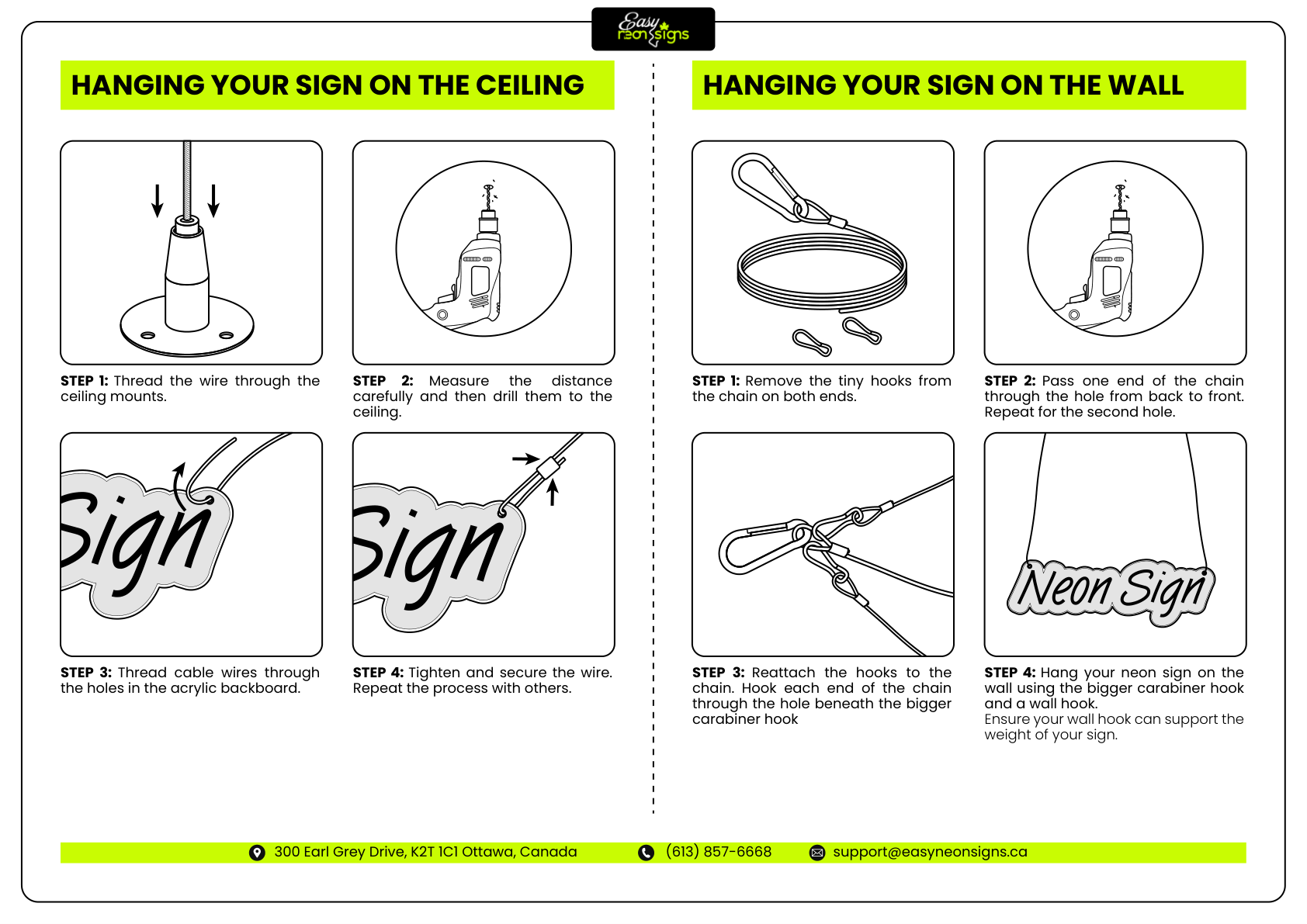
Hanging Your Sign

2 of 16
Step 2: Hanging Your Sign - Installation Instructions
STEP 3

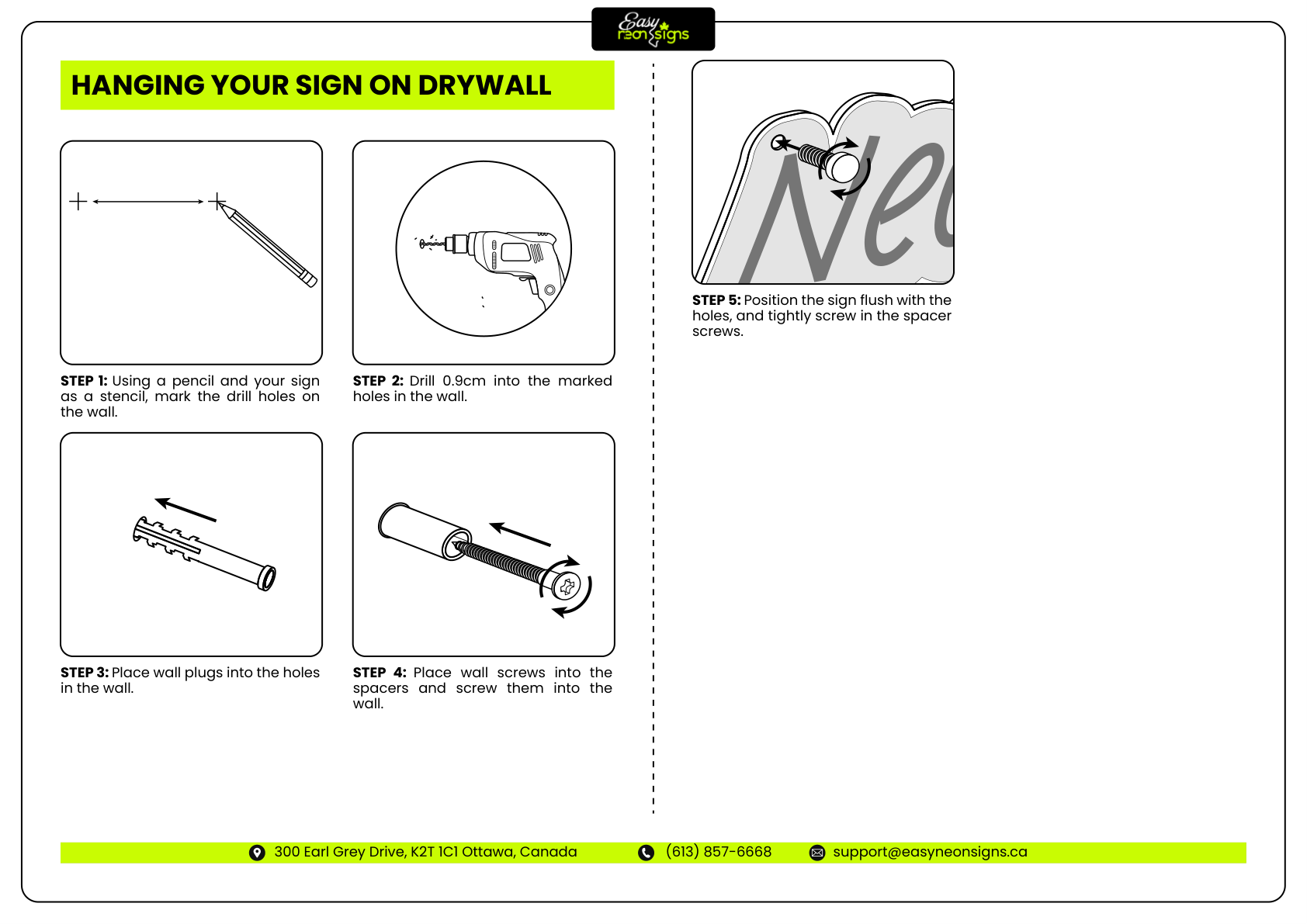
Hanging Your Sign

3 of 16
Step 3: Hanging Your Sign - Installation Instructions
STEP 4

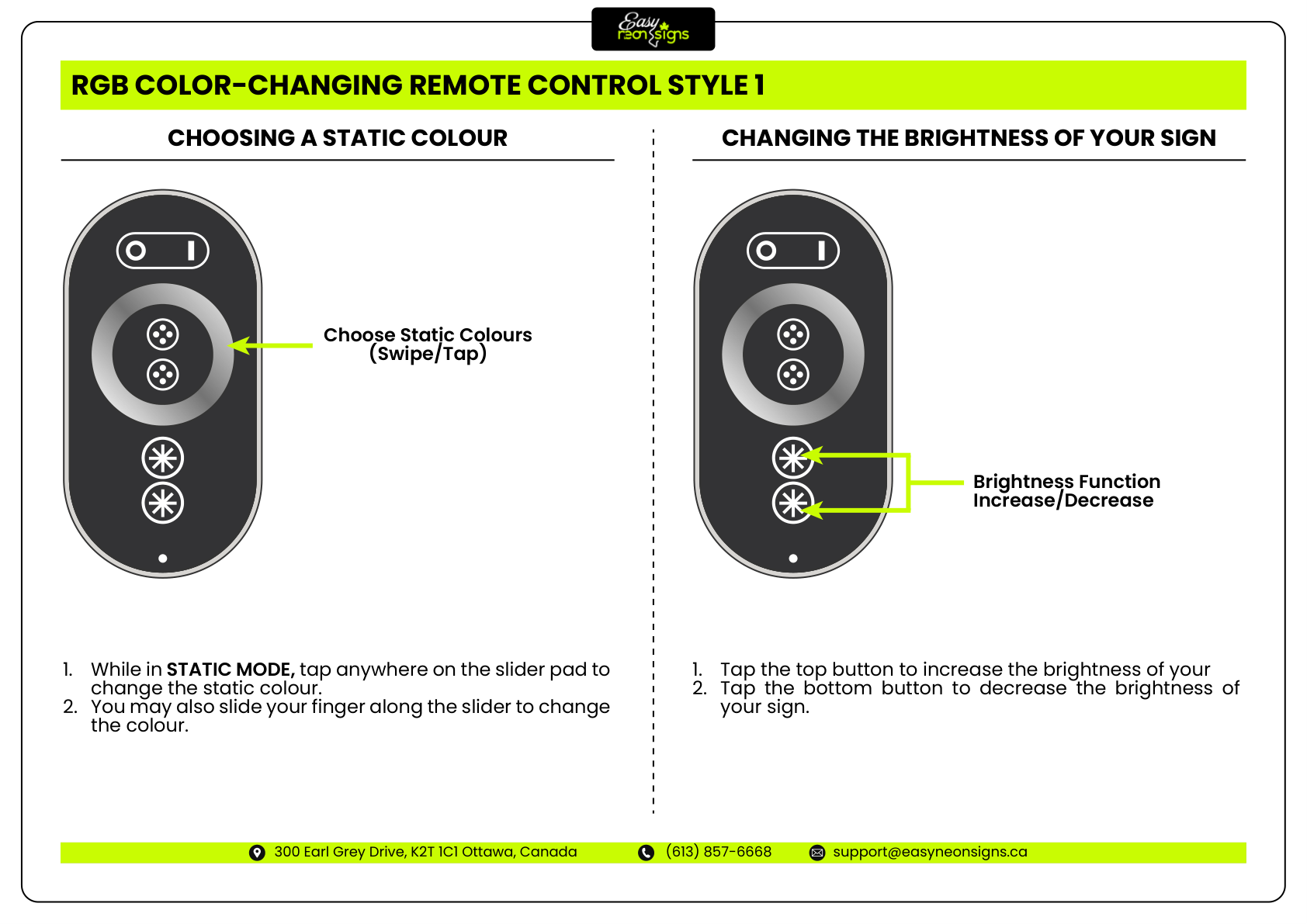
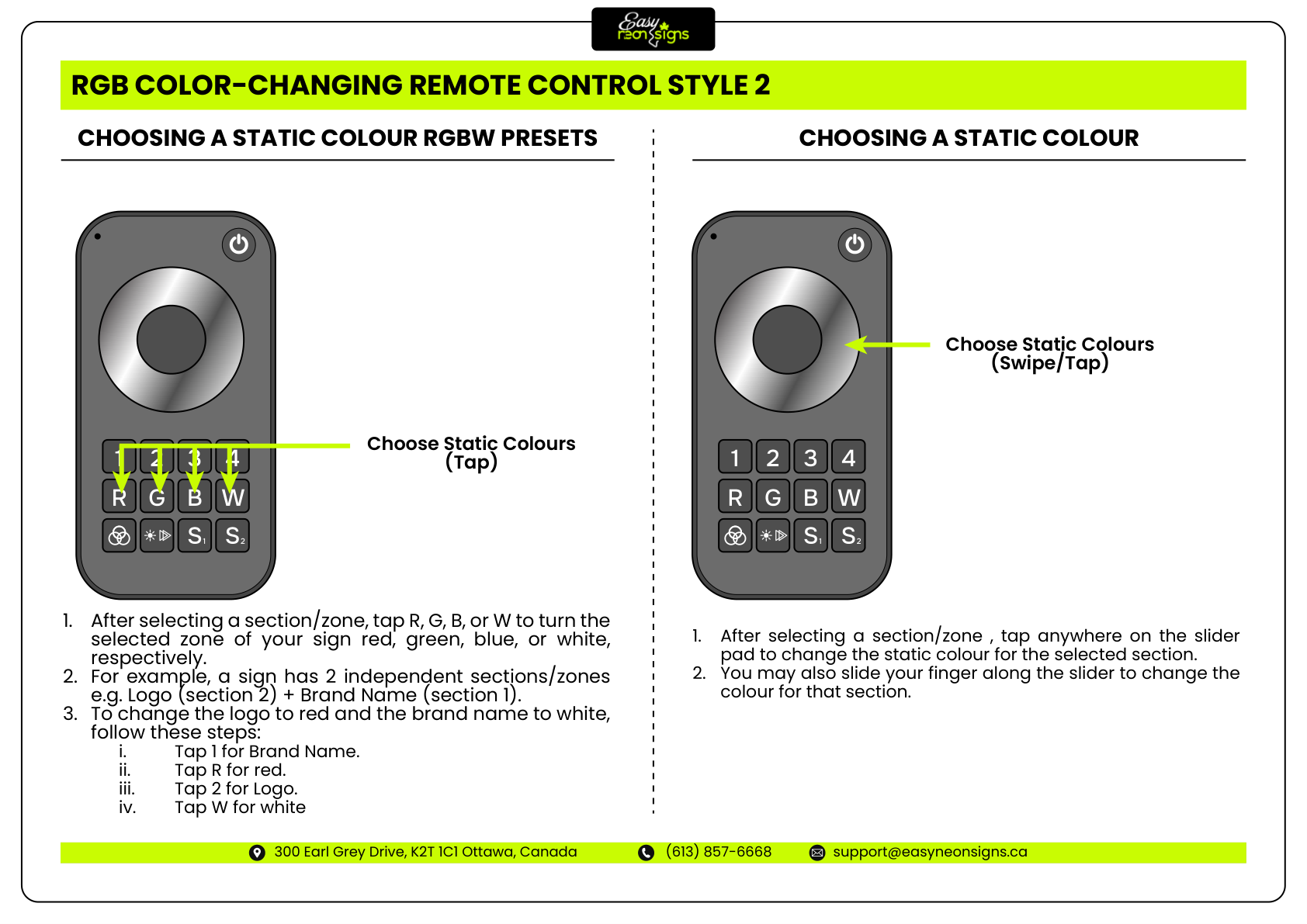
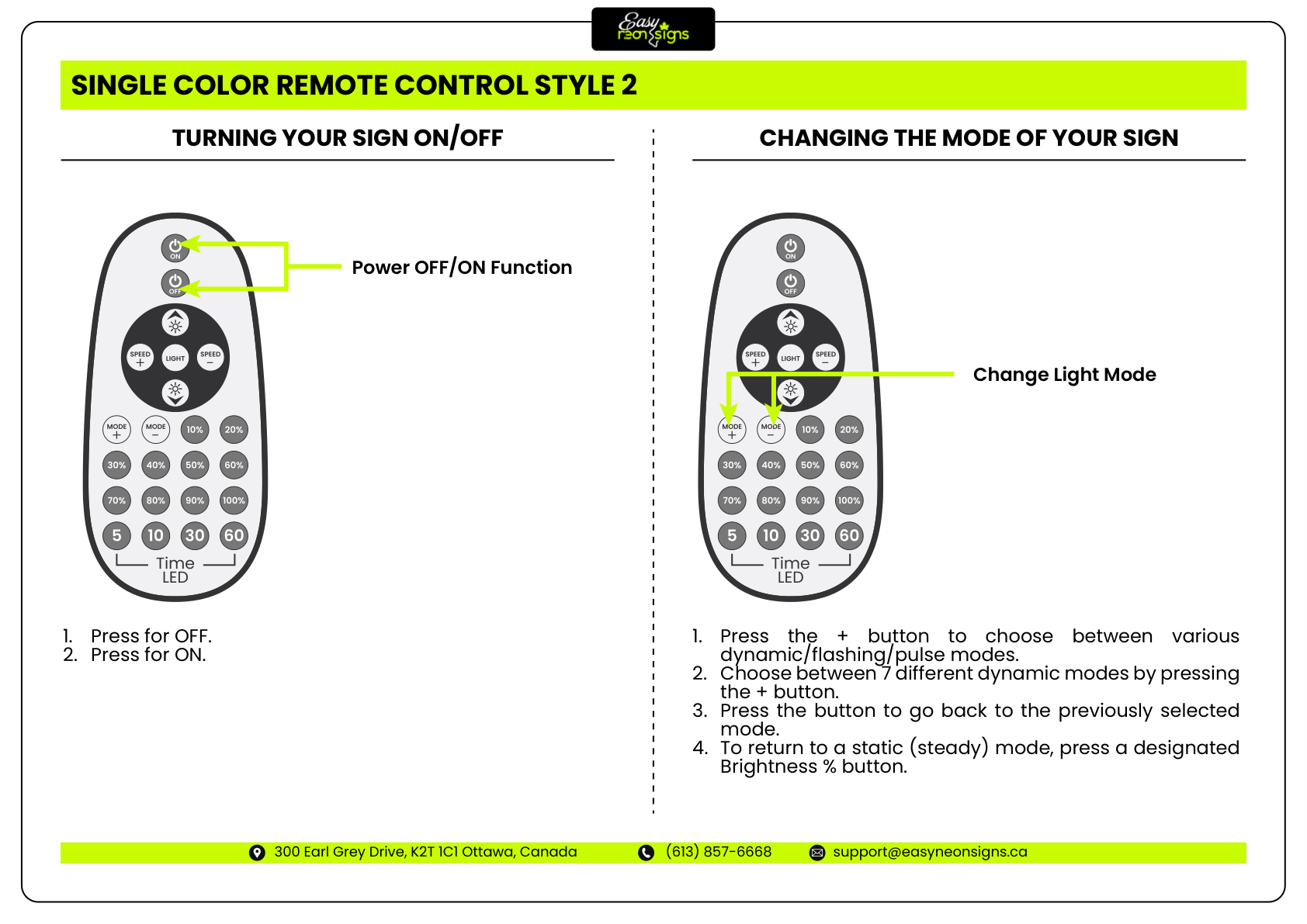
Using Your Remote Control

4 of 16
Step 4: Using Your Remote Control - Installation Instructions
STEP 5

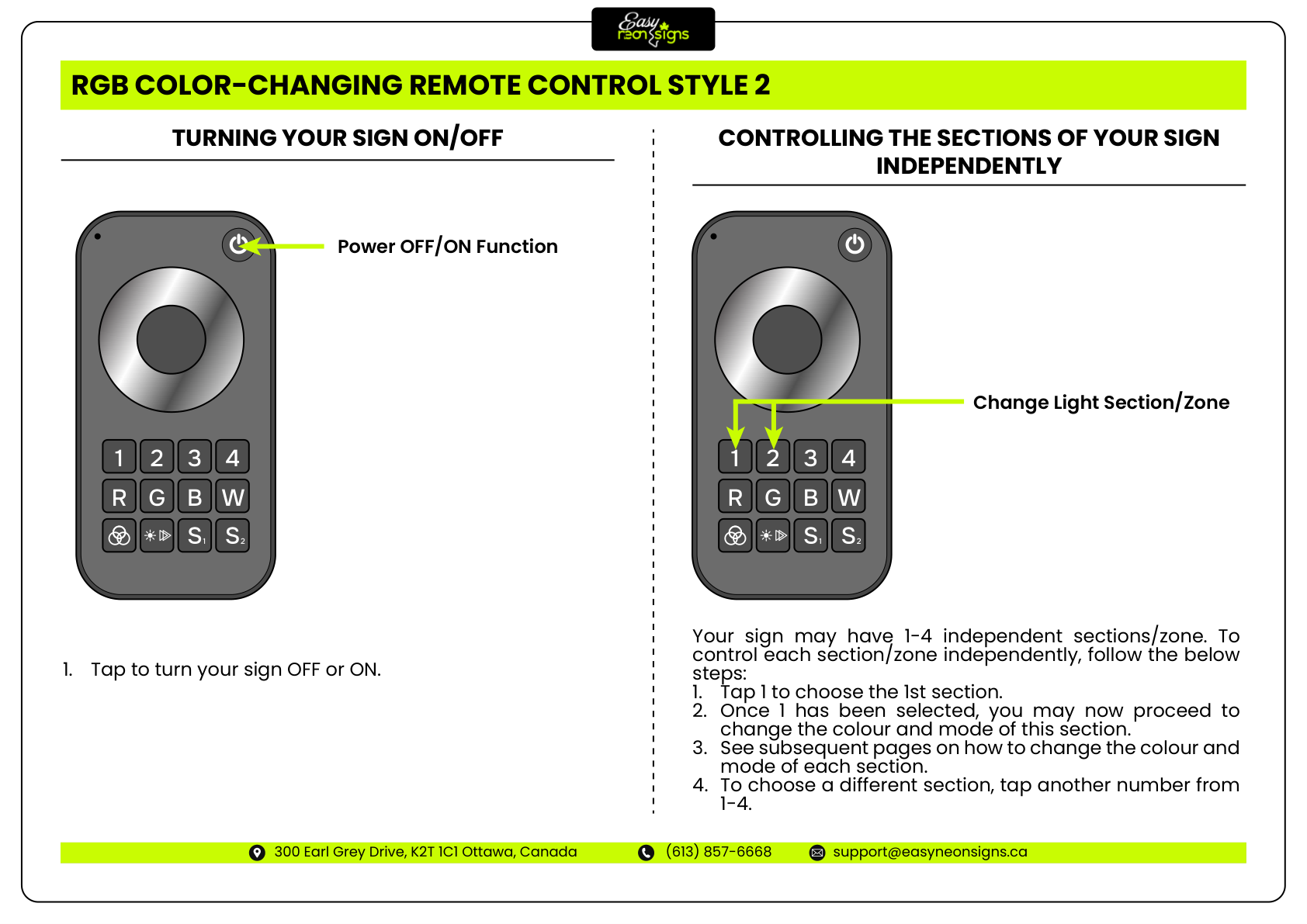
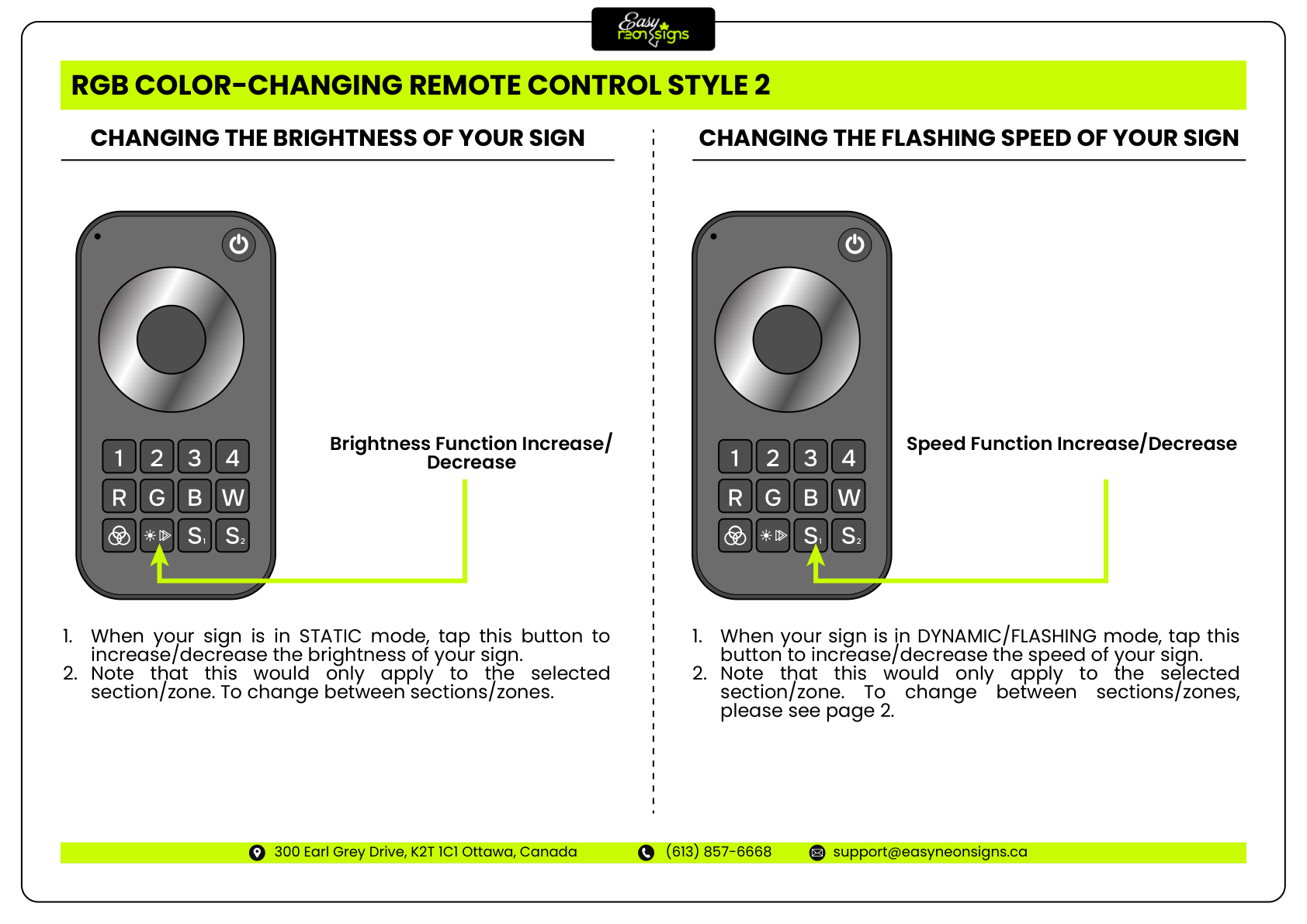
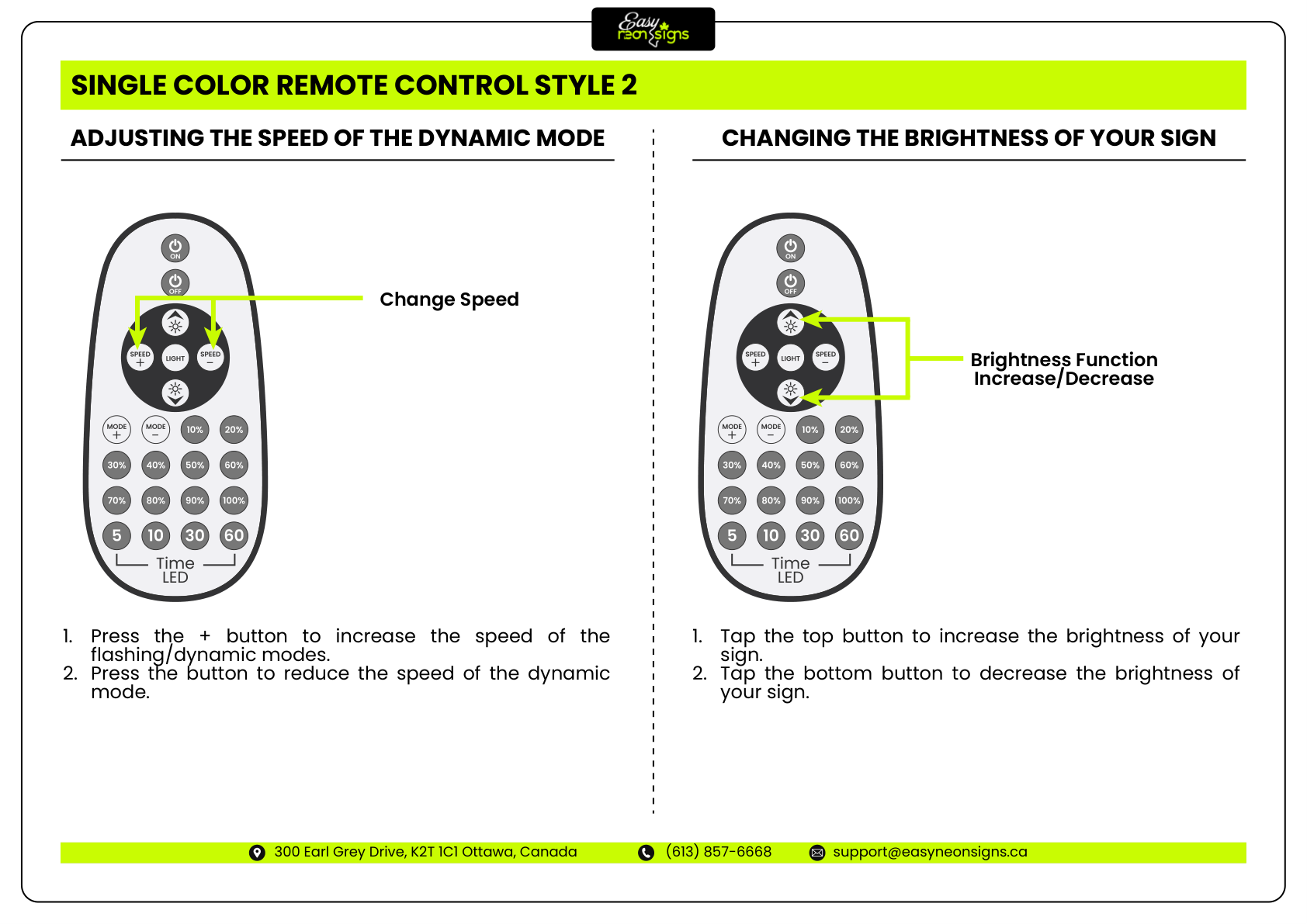
Using Your Remote Control

5 of 16
Step 5: Using Your Remote Control - Installation Instructions
STEP 6

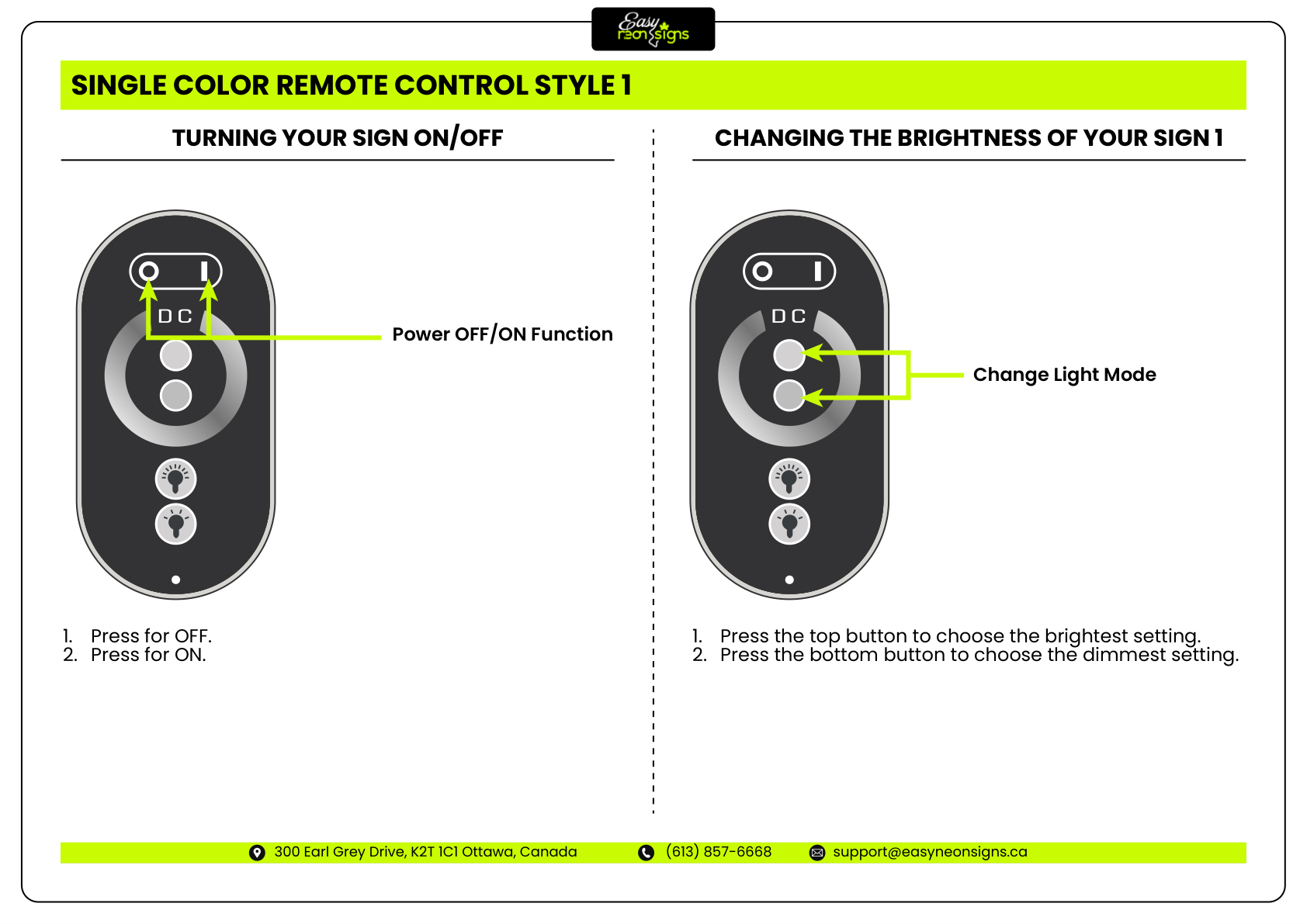
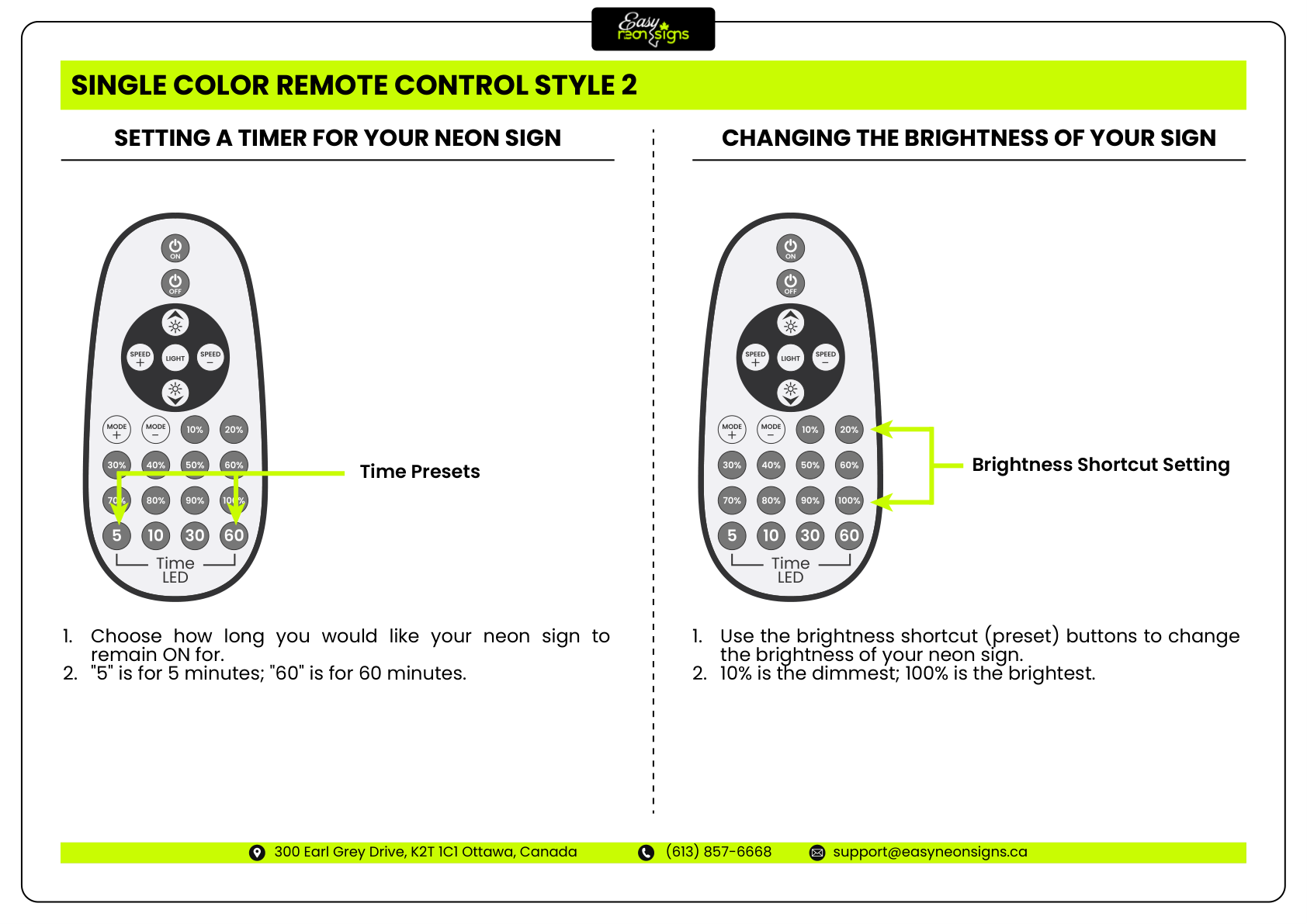
Using Your Remote Control

6 of 16
Step 6: Using Your Remote Control - Installation Instructions
STEP 7

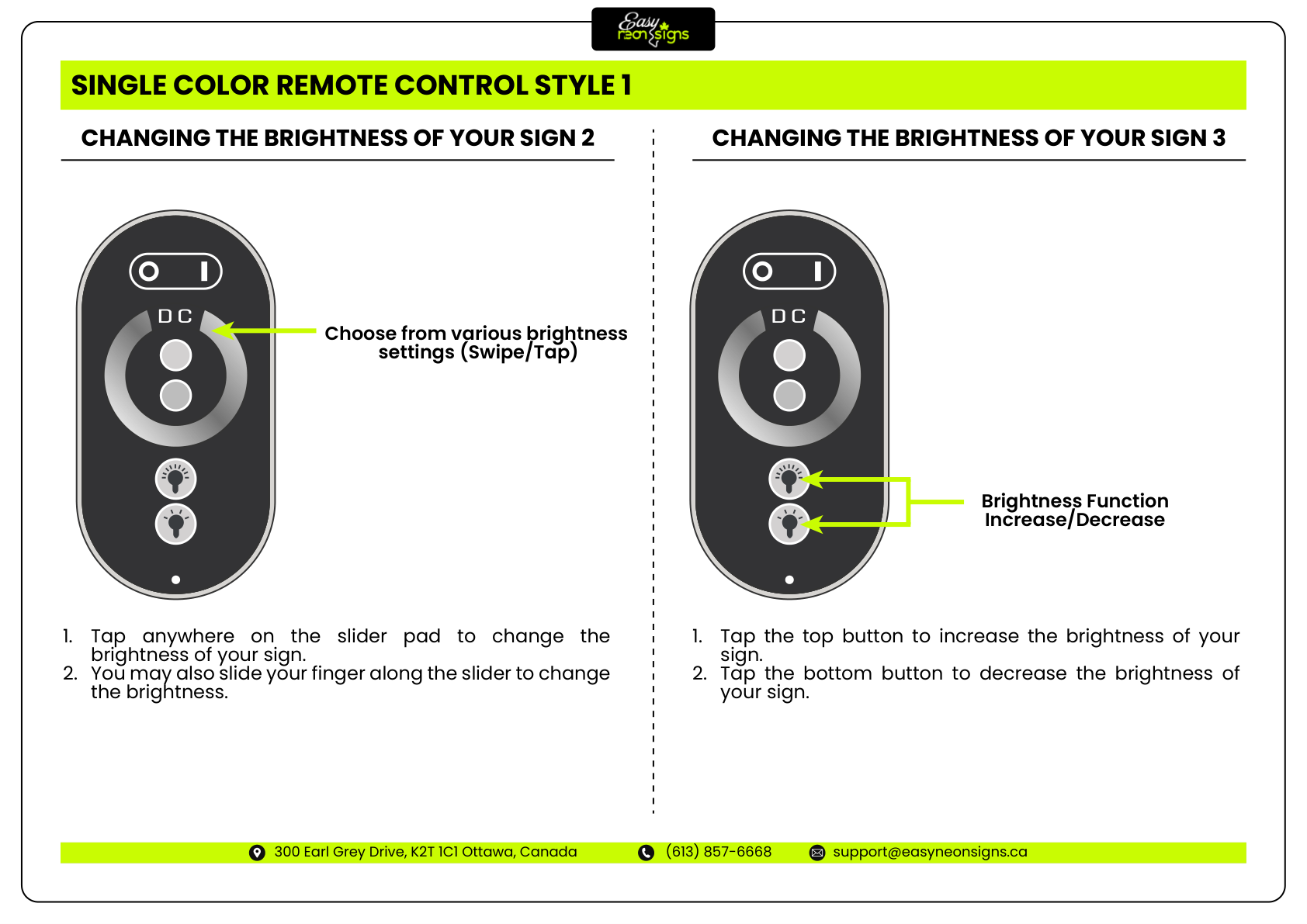
Using Your Remote Control

7 of 16
Step 7: Using Your Remote Control - Installation Instructions
STEP 8

Using Your Remote Control

8 of 16
Step 8: Using Your Remote Control - Installation Instructions
STEP 9

Using Your Remote Control

9 of 16
Step 9: Using Your Remote Control - Installation Instructions
STEP 10

Using Your Remote Control

10 of 16
Step 10: Using Your Remote Control - Installation Instructions
STEP 11

Using Your Remote Control

11 of 16
Step 11: Using Your Remote Control - Installation Instructions
STEP 12

Using Your Remote Control

12 of 16
Step 12: Using Your Remote Control - Installation Instructions
STEP 13

Using Your Remote Control

13 of 16
Step 13: Using Your Remote Control - Installation Instructions
STEP 14

Using Your Remote Control

14 of 16
Step 14: Using Your Remote Control - Installation Instructions
STEP 15

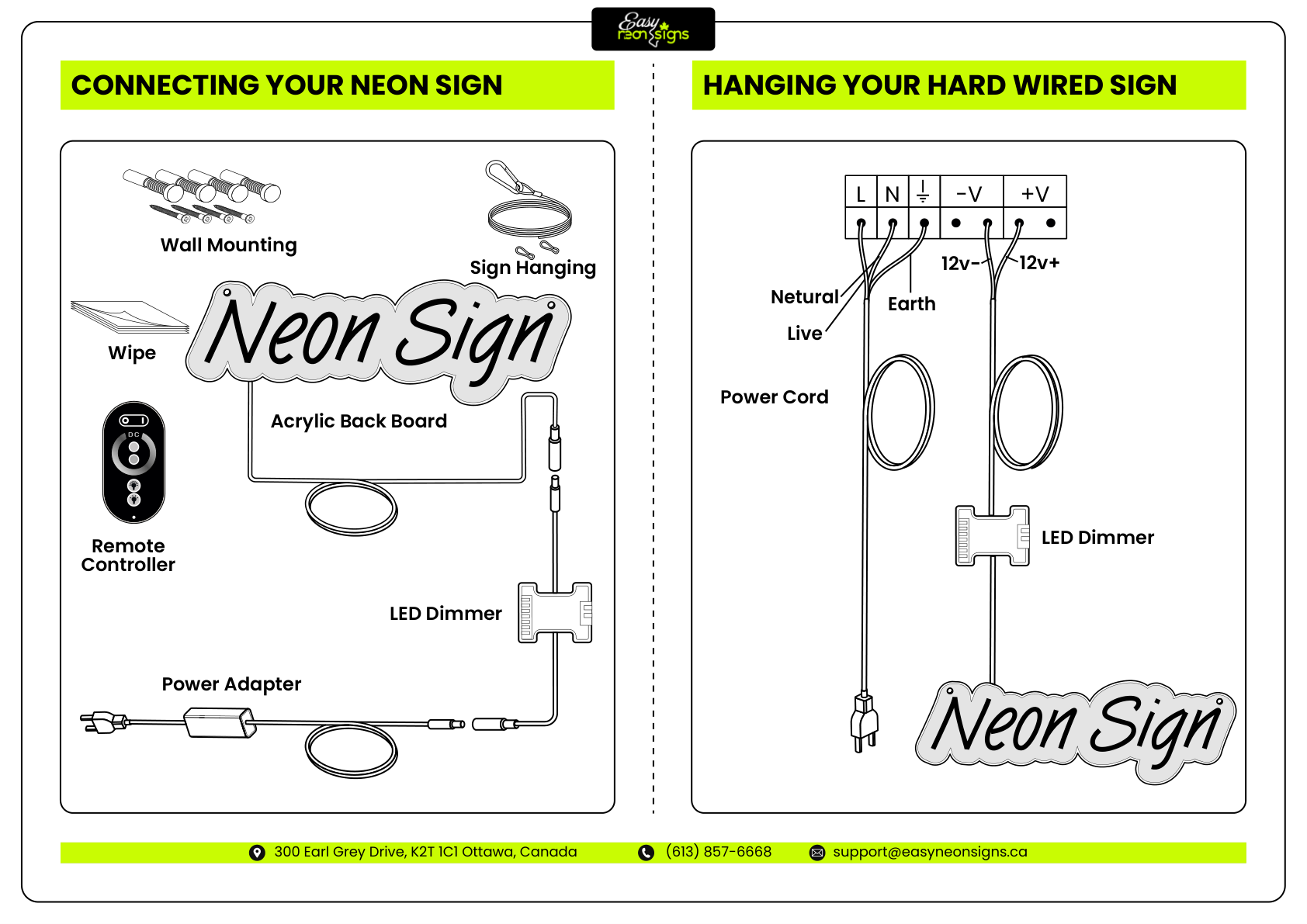
Connecting Your Neon Signs

15 of 16
Step 15: Connecting Your Neon Signs - Installation Instructions
STEP 16

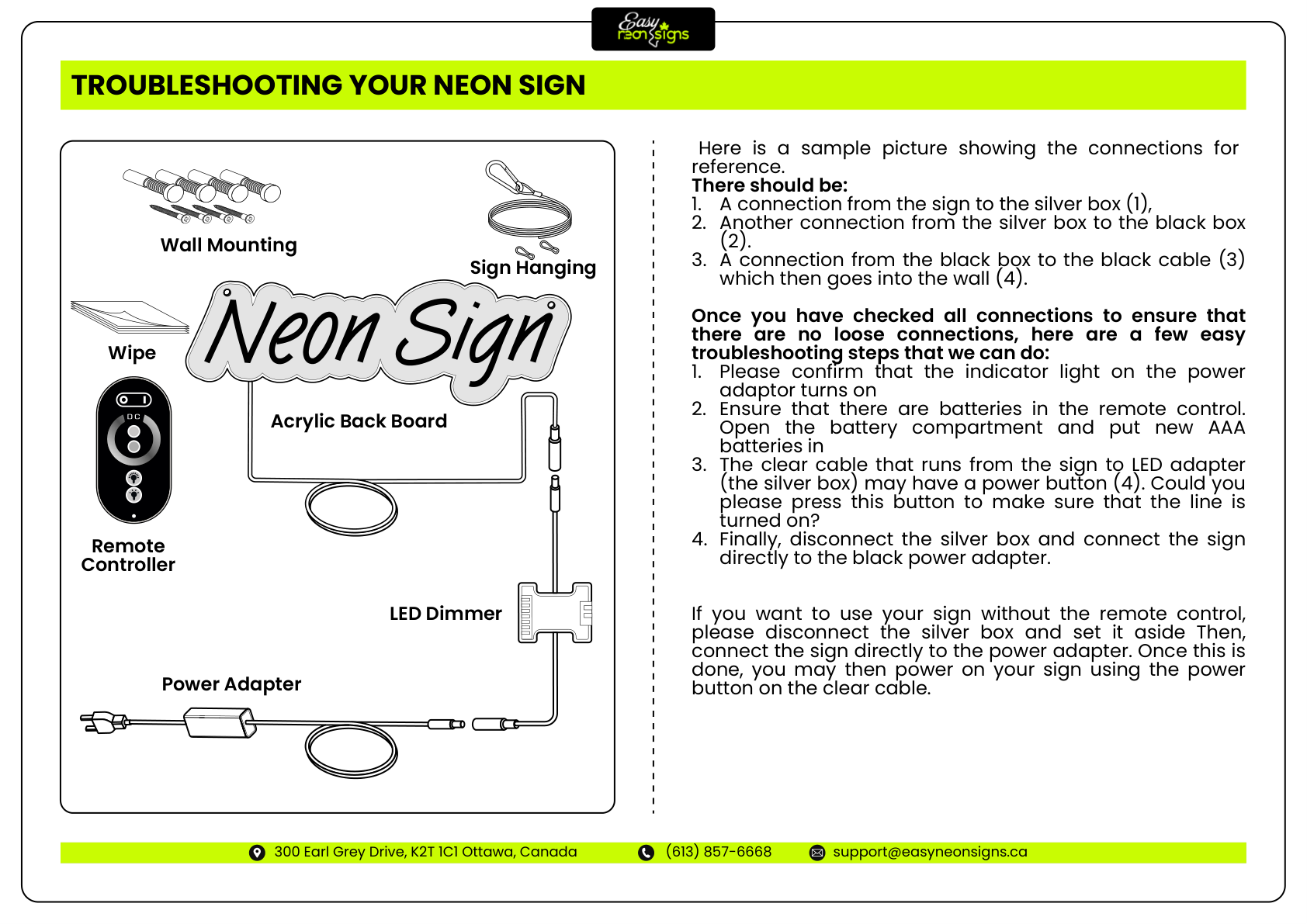
Troubleshooting Your Neon Signs
16 of 16
Step 16: Troubleshooting Your Neon Signs - Installation Instructions